

Search Website
Multi-Access Delivery
Overview
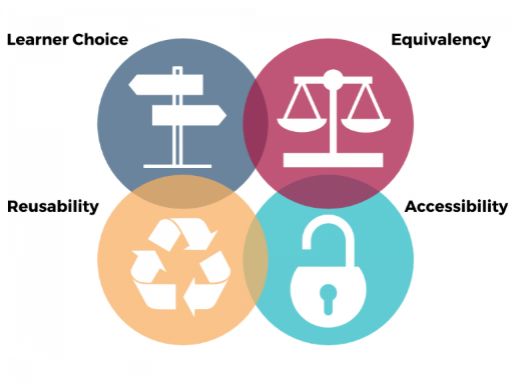
Courses offered via multi-access delivery are hybrid in combining two or more learning pathways (often in person and online livestreamed, and sometimes also online asynchronous) and flexible in that they are designed to offer ongoing student choice about how to participate in the class. For these reasons, multi-access delivery is often called “HyFlex” for Hybrid-Flexible. Learning activities and reflections are designed in a scaffolded and flexible way so that students can participate equitably whether they attend in person or online.
Western has several classrooms that are equipped with the technology needed for multi-access learning. For information on classroom features, visit the Classroom Technology Group’s Classroom Directory.
"Virtual courses, asynchronous and synchronous, have been fantastic for both my mobility impairments and learning disabilities. I am intimidated about returning to in-person courses because the tasks of getting to campus, attending lectures, and returning home presents a much greater physical challenge than being able to ‘attend’ from home."

Rationale
Multi-Access delivery reduces barriers related to disability and neurodivergence, as well as a variety of temporary or ongoing barriers such as transportation, work schedules, caregiving responsibilities, inclement weather, and distance. It ensures that a short-term illness or emergency does not interrupt student learning. Meanwhile, it addresses health and safety by providing students who are ill with an alternate way to participate in the course. Hybrid and Hyflex learning approaches also demonstrate a recognition that students learn in different ways and face a variety of complex life circumstances. By attending to flexibility and choice in attendance modality, instructors can proactively respond to the dynamic needs of students by offering them choice in how they participate.
"I often feel like maybe I just don't deserve access to an education because of my disabilities. Being at home for class where I could be comfortable and have my dog was a gamechanger. All of a sudden, I had good grades and actually started to believe that an education was possible. Even though physically less alone, I always feel very alone and isolated on campus."
Guidance
Course design considerations for multi-access delivery include elements of both technology and active learning practices.
Technology
Multi-access delivery design requires careful consideration of the available technologies that can support student engagement and learning. At Western, instructors might choose to request a classroom equipped with Auto-Pilot and Audience Participation modes, so that a camera swivels to people speaking from different parts of the classroom and a microphone picks up voices from the audience, allowing those who join virtually to hear and see what is happening. Further, connecting to two devices in the physical classroom allows the Zoom call to be projected on one screen and presentation slides on the other. The second device can be connected wirelessly via Solstice or Questron, or physically via HDMI.
Active Learning
Active learning in multi-access delivery supports student learning by engaging them directly in learning activities (e.g., group conversations, case studies and scenarios, collaborative note-taking and annotation). Instructors can consider what kinds of learning activities are appropriate to the course context and in which all students can participate, whether they are physically present in the classroom or joining the class remotely. There are a variety of technology tools that support the multimodal design and delivery of classroom engagement and participation, such as:
- Microsoft Forms
- Shared Microsoft Word documents
- Microsoft Whiteboard
Recommendations
 Try
Try
- Ensuring that online and in person students have equitable access to class activities.
- Asking students joining in person to bring a device to connect to electronic platforms for shared activities.
- Ensuring that students form a single learning community.
- Providing guidance to students on how to manage hybrid class sessions.
- Explaining to students in advance how to manage or access technology tools that will be used.
- Integrating Zoom into your Learning Management System course site.
- Ensuring you have someone monitoring the Zoom chat.
- Posting materials before or after the class so that students can review them to reinforce their learning.
 Avoid
Avoid
- Treating students who join the class remotely as an afterthought.
- Being overly ambitious by trying to integrate a large number of new technology tools at once.
Resources
AAISA. How to create an accessible and equitable hybrid classroom.
Barclay, A. et al. (2022). Hyflex Course Design and Teaching Strategies. eCampus Ontario.
Centre for Teaching and Learning. Accessible options for class participation. University of Alberta.
Elkhoury, E., & Frake-Mistak, M. Hyflex course design. York U.
Beatty, B.J. (2019). Hybrid-Flexible Course Design. EdTech Books, 2019.